This week’s disrupt is Docker (pronounced “Docker”) — an open platform for developing and deploying applications for microservice architectures. Unlike virtualization technologies, Docker uses Linux kernel capabilities to isolate applications, running them on a single operating system but in an isolated environment — a container.
A comparison of virtualization technologies and Docker is shown in the figure:
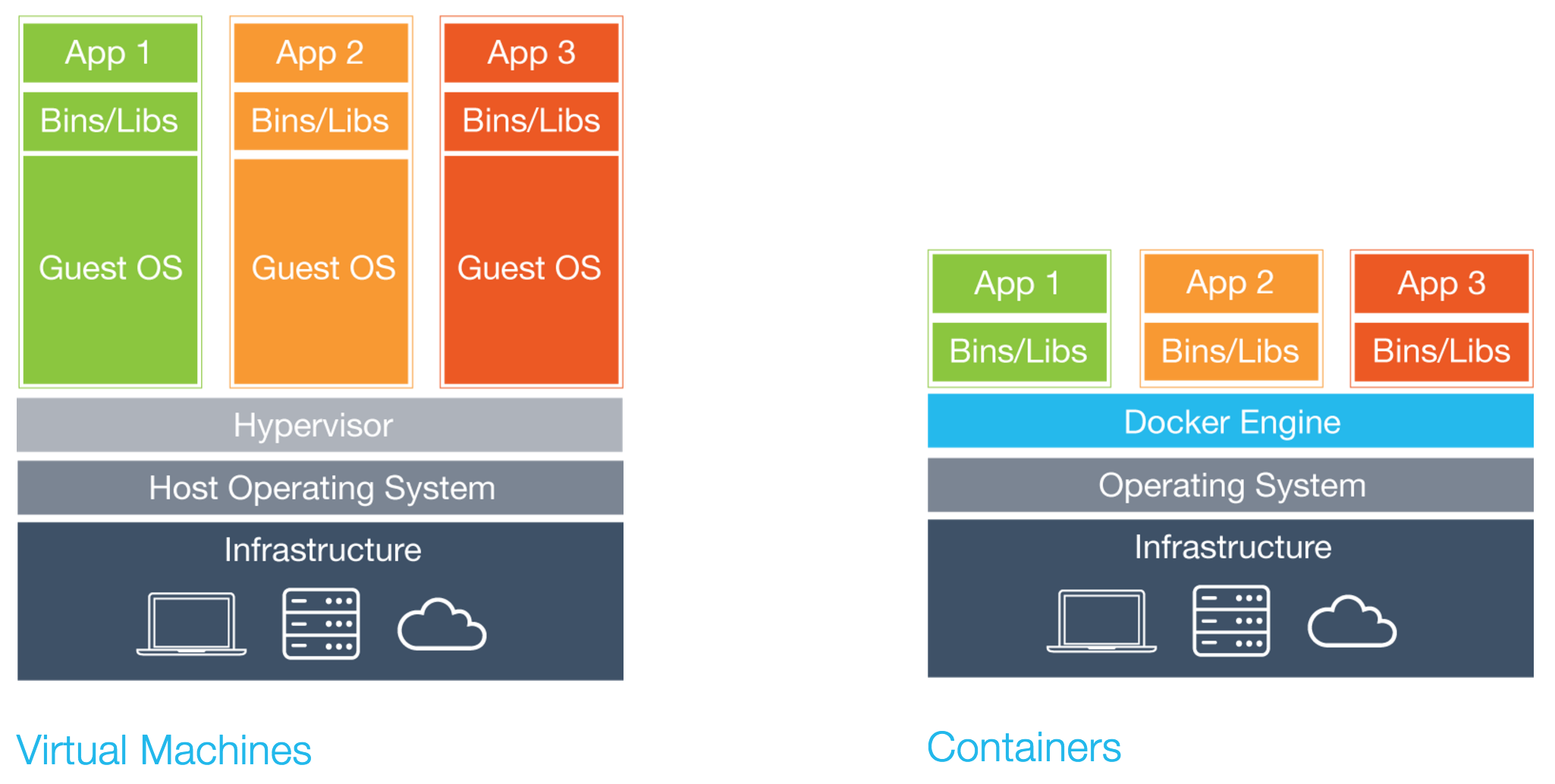
To launch a new application, there’s no need to start a guest operating system. This significantly reduces the time it takes to start and stop a container, and saves RAM and CPU time. Starting and stopping containers most often takes mere milliseconds.
If a typical virtualization technology is the perfect computer. Then Docker is the perfect operating system.
Docker containers are launched from images. There is an image registry — Docker Hub. An image is represented in a special scripting language that describes the actions needed to configure a given application: choosing a base image, installing programs, compiling, copying files, running scripts and programs, and so on. The image registry already has all the popular programs.
For example, here’s a script (a Dockerfile) describing the Nginx web server image:
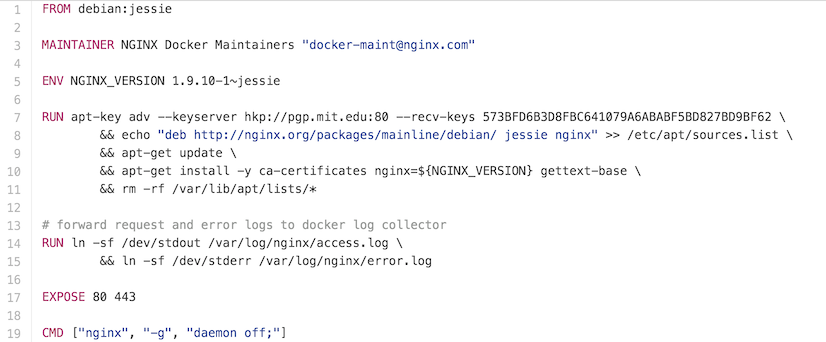
What do you need to do to launch a container from this image? All you have to do is type one single command in the console:
docker run nginx
After the image is downloaded to the local computer, a container with this application will be launched. Just one command on the command line and you have a web server running. Hell, now even a schoolkid or your grandmother can be a sysadmin!
Containers can be started, stopped, deleted.
It already sounds amazing, and we still haven’t even discussed container composition or managing a cluster of Docker containers.
I strictly recommend that programmers and sysadmins drop everything and run to learn Docker.
Previous disrupts of the week:
— Swagger