I’ve been studying English for a very long time, but I keep running into more and more new unfamiliar words. When I used an IBM PC-compatible computer running Windows 7, I used ABBYY Lingvo X3 to peek at translations of unfamiliar words (three languages: Russian, Ukrainian, English). An excellent dictionary; I recommend it to everyone. When I moved to an IBM PC-compatible computer running Mac OS 10, I couldn’t transfer Lingvo — the Mac has a different version, and it needs a new license. Nevertheless, the need to understand the meaning of new words remained.
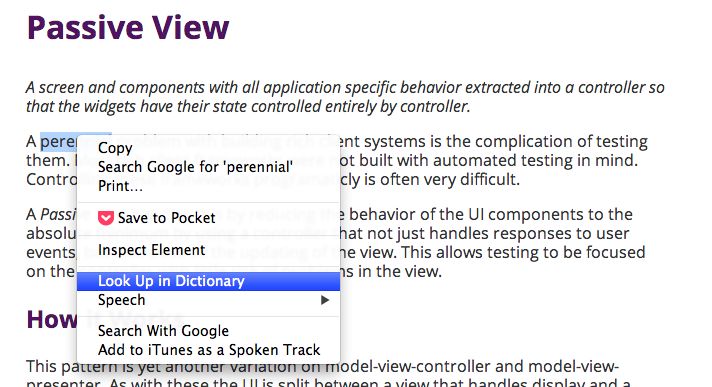
It turned out that the Mac has a built-in explanatory dictionary. It’s available from any applications that let you select text and bring up a context menu.
The word card gives several meanings of the word, transcription, and usage:
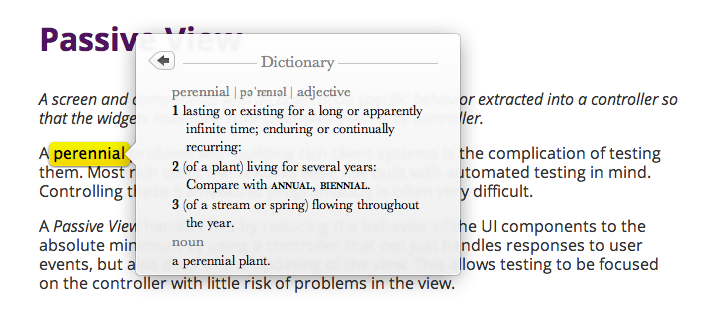
I noticed that, with very rare exceptions, I had stopped looking up translations of words. English-language definitions are enough to understand its meaning. Strictly speaking, the dictionary became unnecessary. It’s very convenient that the dictionary is also built into an ARM-compatible phone running iOS.
This is a very interesting way to study English: don’t rush to look up a word’s translation, but first give yourself a chance to understand the meaning from its definition. But what should those users do who don’t have a built-in English-language explanatory dictionary? There is the excellent site “Wiktionary.” For example, you can read the definition of the word perennial:
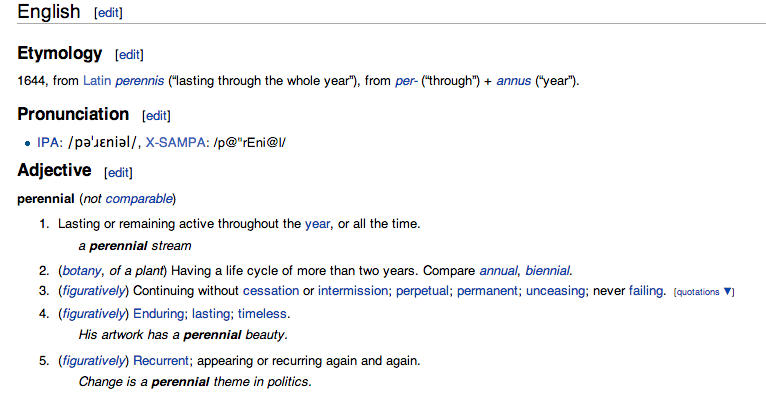
“Wiktionary” is available on any platform on any Internet-compatible electronic computer.